How Many Screens Does a Small Business Need for Digital Signage?
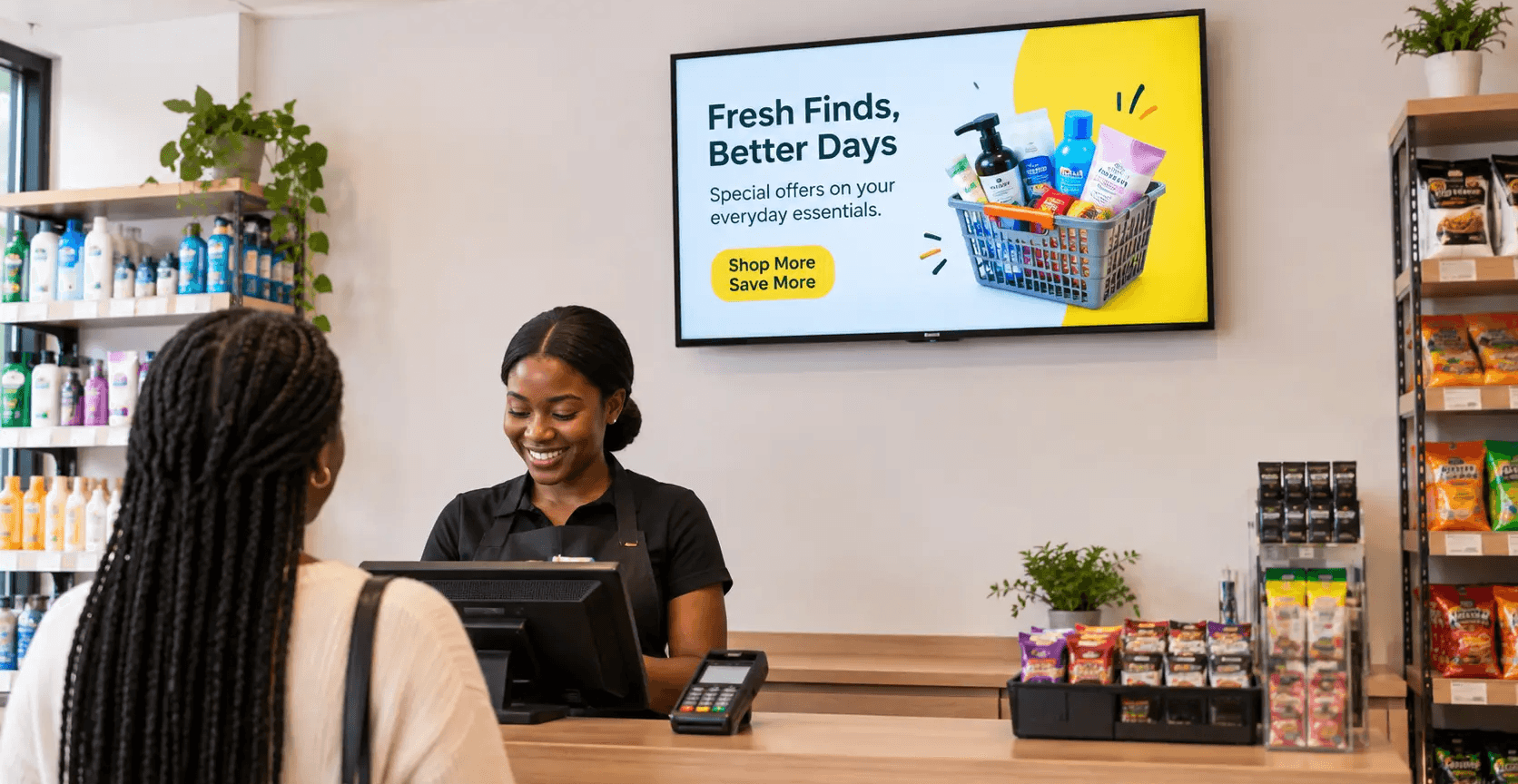
Most small businesses need just one screen to start. On average, businesses running digital signage manage only 2.1 screens, and the median is exactly one, according to a 2026 industry benchmark study from signage platform Kitcast. Screen count matters far less than where that one screen sits and what plays on it. Add a second or third screen only when a specific line of sight, wait time, or transaction point calls for it, not because more screens feels like more marketing.
Why screen count is the wrong first question
Business owners shopping for digital signage often start by asking how many TVs they should buy, like they'd ask how much shelf space they need. But a screen only earns its cost if a customer is actually standing in front of it long enough to read it. One screen positioned where every customer already pauses, at a register, a waiting area, a check-in desk, outperforms three screens scattered where nobody lingers.
A screen only earns its cost if a customer is standing in front of it long enough to read it.
When one screen is enough
One screen covers most single-room, single-counter businesses:
A barbershop, salon, or nail studio with one waiting area
A laundromat with one bank of machines customers watch while folding
A small retail shop or boutique with one register line
A single-chair or single-bay practice, like a small dental or auto repair office
In these layouts, everyone passes the same spot. One well-placed, well-maintained screen reaches nearly all of them.
When to add a second or third screen
Add screens when the business has more than one place customers stand still, not more than one wall available. Three simple tests decide it:
The line-of-sight test
If a customer standing at the counter cannot see the screen near the entrance, that is two zones, not one. Gyms with a front desk and a separate cardio floor, restaurants with a bar and a dining room, and multi-bay auto shops with a lobby and a service bay all tend to need at least two screens to cover both zones.
The wait-time test
Screens earn attention during dead time: a waiting room, a drive-through line, a queue at a deli counter. If a business has two separate places where customers wait more than a minute, each one justifies its own screen, since a screen in zone A does nothing for a customer standing in zone B.
The transaction-point test
Menu boards, service price lists, and checkout upsell screens sit at the point of decision. A restaurant with both a front counter menu board and a drive-through lane needs two screens for that reason alone, independent of general ambiance screens elsewhere in the space.
What the research says about repetition and diminishing returns
Digital displays are proven more effective than static signs: dynamic screens draw 400% more views than static signage and produce an 83% message recall rate, according to the Intel and Arbitron Out-of-Home Digital Video Study, one of the most cited benchmarks in the category. That is a strong case for going digital in the first place.
It is a weaker case for stacking screen after screen in the same zone. Academic research on advertising repetition finds that recall keeps climbing through roughly the eighth exposure to a message, then levels off and can start to wear out the audience rather than build on it. A second screen in the same sightline mostly repeats the same exposure faster. A second screen in a genuinely different zone reaches a different moment of the customer's visit. The difference matters more than the screen count itself.
Quick gut check before buying another screen: can a customer already see your first screen from where this new one would go? If yes, spend the budget on better content instead. If no, the second screen likely earns its keep.
Suggested starting screen count by venue type and layout
Venue type | Typical layout | Starting screen count |
Barbershop/salon | single waiting area | 1 |
Laundromat | single machine bank | 1 |
Boutique/retail shop | single register | 1 |
Restaurant | counter + dining room | 2 |
Gym | front desk + workout floor | 2 |
Auto repair | lobby + service bay | 2 |
How Beam helps
Once a business has the right screens in the right spots, the next question is what those screens cost to run and whether they can earn money back. This is where Beam is different from most signage software. Beam does not just help a business manage its own promotions on its own screens; it lets that business open a share of its idle screen time to the Beam Network, a marketplace of approved third-party advertisers who pay to appear alongside the business's own content.
A barbershop running one screen at the counter can keep 100% of the airtime on its own promotions, or split it with local advertisers Beam brings in, turning what used to be a pure cost center into a source of passive income. The screen count decision stays the same either way: start with the layout, not the hardware budget.
Get started
A single, well-placed screen is enough for most small businesses to launch. See what usebeam.io can do for the space you already have, and find out how much your screens could earn once they're online:usebeam.io
Sources
Kitcast, 2026 Digital Signage Statistics report:https://kitcast.tv/reports/digital-signage-statistics
Intel and Arbitron Out-of-Home Digital Video Study (as cited in industry research roundups): https://www.risevision.com/blog/how-effective-is-digital-signage
"Advertising Repetition: A Meta-Analysis on Effective Frequency in Advertising," ResearchGate: https://www.researchgate.net/publication/275042456_Advertising_Repetition_A_Meta-Analysis_on_Effective_Frequency_in_Advertising
Do I need a different number of screens for a small space versus a large one?
Not necessarily. Square footage matters less than how many distinct zones customers actually stand still in. A large open-plan restaurant with one continuous dining room may still only need one or two screens, while a small business with a separate waiting room and a separate checkout counter may need two despite its smaller footprint.
Is it better to buy one large screen or two smaller ones?
That depends on the layout test above, not on price per inch. One large screen makes sense when there is a single zone with good sightlines from every seat or spot in line. Two smaller screens make sense when customers are split across two zones that cannot both see the same display.
Can I start with one screen and add more later?
Yes, and that is the recommended approach. Start with the highest-traffic zone, run it for a few weeks, and use those results, foot traffic, dwell time, customer feedback, to decide whether a second zone justifies its own screen.
Do more screens mean more advertising revenue through the Beam Network?
More screens can mean more airtime to sell, but a single well-trafficked screen in a strong dwell-time spot, like a waiting room or checkout line, is generally more valuable to advertisers than several screens in low-traffic corners. Placement drives ad value more than raw screen count.
Will adding a second screen showing the same content actually help retention or sales?
Signage can support behaviors like repeat visits, reviews, and awareness of a promotion, but that link is directional, not a guarantee, and duplicating the same message across nearby screens shows diminishing returns compared to reaching a genuinely different part of the customer's visit.
What screen size should I start with?
For a single counter or waiting-area screen, a 32 to 43 inch commercial display is a common, affordable starting point for most small businesses. Move to a larger screen only if the viewing distance in that zone calls for it.