How Self-Storage Facilities Use Digital Signage to Lift Protection-Plan Attach and Earn From Office Screens
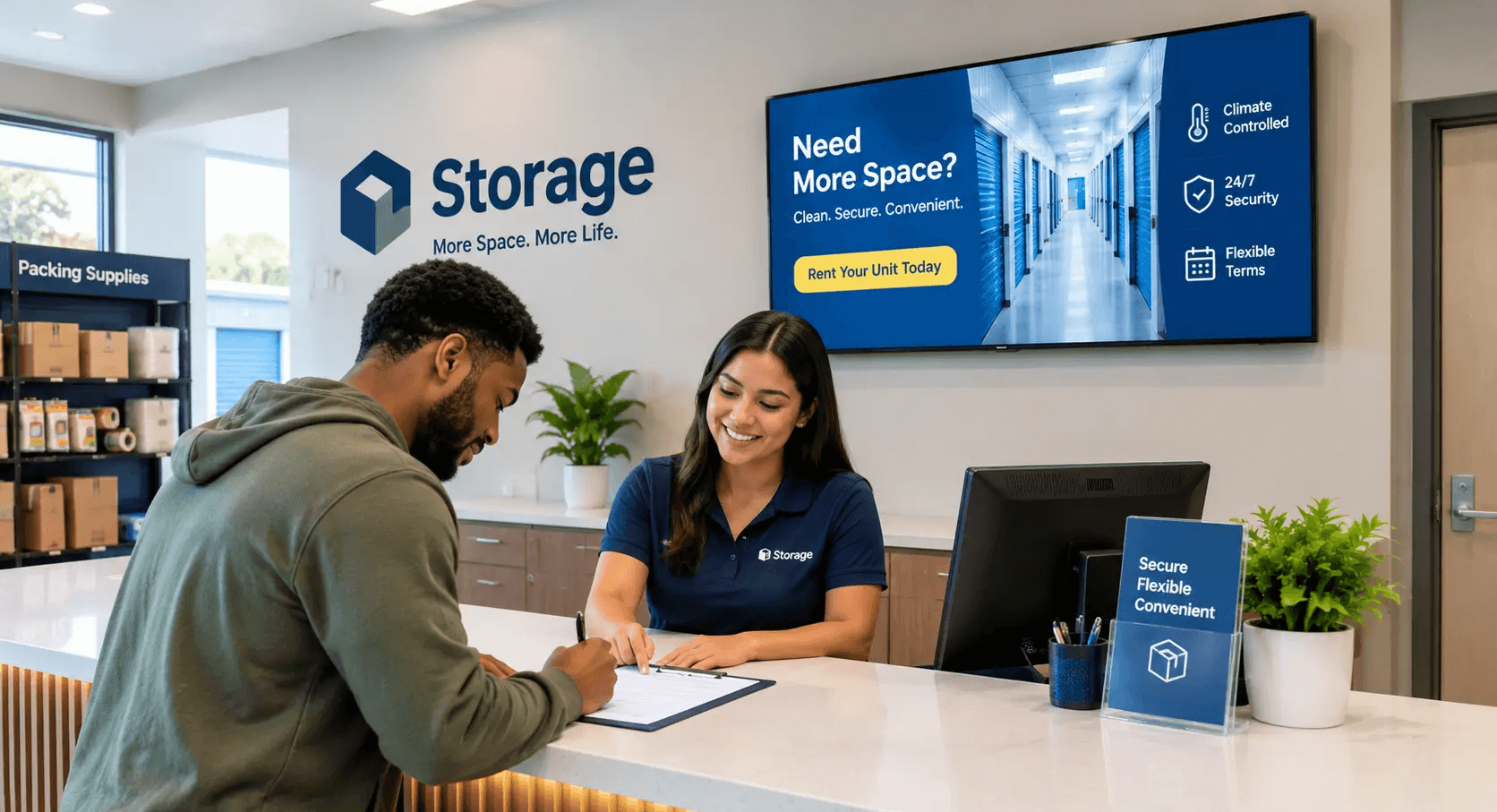
A screen in a self-storage office pays for itself in two ways: it sells the protection plan, lock, and supplies at the counter, and it earns ad revenue during the hours nobody is renting. That second stream matters more than it used to, because U.S. advertised street rates fell 2.0% year over year in March 2026, to an annualized average of $16.07 per square foot, according to Yardi Matrix. When rate growth stalls, the revenue that moves your NOI has to come from attach rate and from assets you already own.
The KPI a storage screen should move
Occupancy is the number every operator watches, but it is the hardest one for a screen to shift. Physical occupancy is driven by supply, rate, and your Google Business Profile, not by what plays in the lobby. The metrics a screen can move sit downstream of a customer who has already walked in:
Protection-plan attach rate on new rentals
Ancillary revenue per move-in from locks, boxes, and supplies
Upgrade rate from small units to larger or climate-controlled units
Autopay enrollment, which shortens delinquency cycles
Tenant protection is the one with the most margin. Industry reporting puts tenant insurance uptake in the high 60s as a share of tenants, and Extra Space reported roughly 5% tenant insurance revenue growth in its Q1 2026 results. A facility running below that band has room to close, and a counter screen is the cheapest place to work on it.
Occupancy is set before the customer walks in. Attach rate is decided at the counter.
What actually goes on the screen
Most storage offices run a screen that shows the logo, the hours, and nothing else. Four rotations do the work instead.
Protection-plan explainer: show what is covered, what a homeowner's policy typically excludes for off-site goods, and the three price tiers side by side. Managers explain this a dozen times a day. Let the screen carry the first pass so the conversation starts at "which tier" rather than "what is this."
Unit-size guide: a visual comparison of a 5x10 against a 10x15 with real contents shown. This reduces the wrong-size rental that leads to a transfer request or an early move-out.
Supplies and lock pricing: disc lock, mattress bags, wardrobe boxes, tape. Price and image, nothing else.
Autopay and gate-app prompts: enrolling a tenant at move-in is far easier than chasing them in month three.
Keep each rotation under eight seconds. The average office interaction is short, and a tenant reading a rental agreement is only glancing up
The honest limit
Attribution in signage is directional. You will not get a clean click-to-conversion path the way you would from paid search. The practical method is a before-and-after read on a single metric: pull 60 days of protection-plan attach rate before the screen goes live, run the new rotation for 60 days, and compare. Hold rate, staffing, and promotions steady while you do it. Seasonality in storage is real, so compare against the same window in the prior year where you can. Treat the result as a signal, not proof.
The second revenue stream: your office screen as ad inventory
Here is what most operators miss. A storage office is open roughly 45 hours a week and sees a defined, local, high-intent audience: people who are moving, renovating, downsizing, or running a small business out of a unit. That is a valuable audience to a mover, a local contractor, a mortgage broker, or a furniture retailer. And digital out-of-home advertisers are paying more for exactly this kind of placement. OAAA reported that U.S. OOH revenue passed $3 billion in a single quarter for the first time in Q2 2026, with digital OOH up 18.5% year over year and accounting for 38.4% of total quarterly revenue.
Your screen already exists. The only question is whether it is running a static logo or carrying paid inventory between your own promotions.
How Beam helps
Beam runs the screen and the ad network in one place.
You schedule your own content first. Protection-plan tiers, size guides, supply pricing, and autopay prompts play on the rotation you set, on every screen across every facility you operate.
Beam fills the remaining slots from the Beam Network, an approved pool of third-party advertisers. You keep a share of that revenue.
You control the category filters. A facility that sells its own protection plan can block competing insurance advertisers. A facility next to a moving company can decide whether to allow that category at all.
One dashboard covers a single office or a 40-property portfolio, so a regional manager pushes a supply price change once.
How Beam helps: your promotions run at full priority, approved advertisers fill the gaps, and the screen starts contributing to NOI rather than sitting on the expense line.
Getting started
Most storage offices already have a compatible TV. Beam runs on standard commercial and consumer displays with a player attached, so the usual first cost is a mount and a network drop.
See what your office screens could earn at usebeam.io
Sources
Will a screen improve my occupancy?
Probably not directly. Occupancy responds to supply, rate, and search visibility. A screen works on what happens after a prospect is in the office, which is attach rate, unit-size fit, and autopay enrollment.
Can I run ads on my office screen without annoying tenants?
Yes, if you cap frequency and filter categories. Storage office dwell time is short and mostly transactional, so a tenant sees a small number of ad plays during a move-in rather than a continuous loop.
Do I need a special commercial display?
No. A standard TV with a player works for most offices. Commercial panels are worth the upgrade only for long daily run hours or bright, window-facing placements.
What does the ad revenue actually depend on?
Traffic volume, screen hours, location, and how many advertiser categories you allow. A single suburban office earns modestly. A portfolio of facilities in a metro area is a meaningfully different conversation.
Can I block competitors from advertising on my screens?
Yes. Category and advertiser filters are set by you, so competing storage operators and competing insurance products can be excluded.
How long does setup take?
A single office is usually live the same day once the display and network connection are in place. Multi-site rollouts depend on how fast the hardware gets mounted.