How To Leverage Indoor Advertising For Local SEO
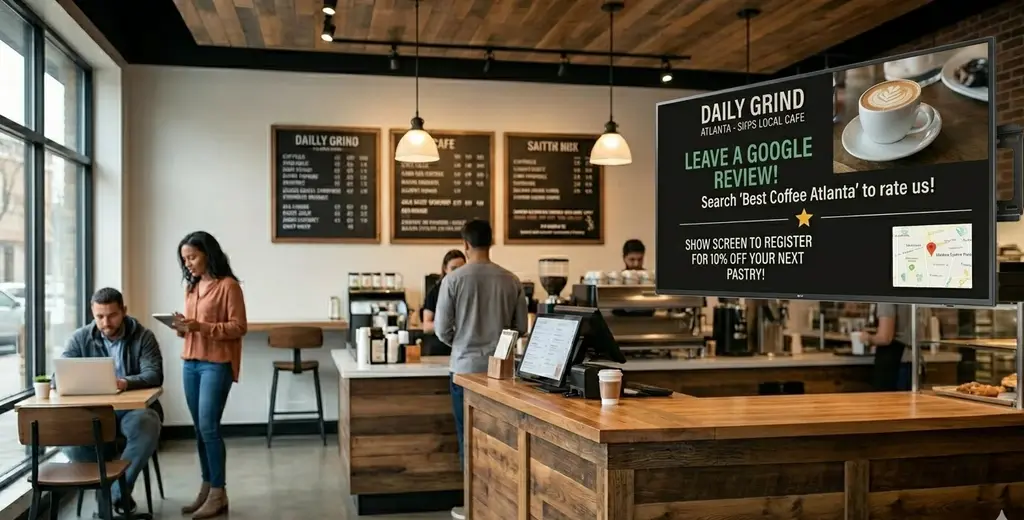
Indoor advertising does not change your Google rankings directly. What it does is drive the customer behaviors that Google's local algorithm rewards: more reviews, more branded searches, and more engagement with your Google Business Profile.
When used well, in-store digital signage turns the foot traffic you already have into measurable local-SEO signals. This guide shows how and where the realistic limits are.
Why This Matters: Reviews and Behavior Move Local Rankings
Local search is heavily influenced by review signals and customer behavior. Review signals such as quantity, rating, recency, and your response rate account for roughly 16% of local pack ranking factors (BrightLocal), and reviews matter to humans even more than to the algorithm: 98% of consumers read reviews for local businesses, and listings tend to perform better once they pass about 10 reviews. Recency counts too: most consumers trust only recent reviews, so a steady stream beats a one-time burst.
Indoor signage cannot edit your ranking. But it sits in front of customers at the exact moment they are most satisfied, which is the best time to ask for a review or a check-in. That is the connection between a screen on your wall and your position on the map.
How Indoor Advertising Strengthens Local SEO
1. Prompt reviews at the right moment
A screen near checkout that reads "Enjoyed your visit? Scan to leave a Google review" reaches customers when goodwill is highest.
Important: keep the review request separate from any discount or reward. Offering something in exchange for a review violates Google's policies and can get reviews removed. Ask for honest feedback, not paid feedback.
2. Encourage branded and location searches
Displaying your business name with your city or neighborhood ("Best fitness classes in Austin") nudges customers to search for you by name later.
Branded search and direct navigation are signals of a real, active business.
3. Drive engagement with your Google Business Profile
QR codes linking to your profile, menu, or booking page convert in-store attention into online actions (clicks, direction requests, calls) that indicate an active, relevant listing.
4. Connect offline visits to online activity
Hashtags, Instagram handles, and short URLs on screen bridge the in-store moment to social and web engagement, widening your local footprint.
Practical Ways to Use Indoor Advertising for Local SEO
Promote Location-Specific Keywords
Display content that names your city or neighborhood so customers associate you with the area and search accordingly. Example: "Same-day repairs in Lincoln Park."
Use QR Codes for Direct Engagement
Link to your Google Business Profile, a booking page, or a current promotion. A cafe screen showing "Scan for today's specials" turns a glance into a visit to your profile.
Highlight Google Reviews (with permission)
Showing a real "Rated 4.8 by local customers" builds trust and encourages others to contribute. Do not pair this with an incentive to review.
Run Time-Based Local Campaigns
Schedule lunch deals for midday office traffic or weekend offers for higher footfall. Relevance at the right hour increases the odds of action.
Encourage Social Tagging
Invite customers to tag your location or use a branded hashtag, increasing local discovery across platforms.
What Indoor Advertising Can and Cannot Do
It can: increase review volume and recency, lift branded search, drive profile engagement, and improve the customer experience that earns better ratings.
It cannot: directly raise your ranking, replace on-page and citation work, or substitute for actually delivering a good experience.
Treat signage as a behavior-driver that feeds your local SEO, not as a ranking lever on its own.
Key Benefits for Businesses
More reviews, captured at the moment of peak satisfaction
Stronger branded and location-based search behavior
Higher engagement with your Google Business Profile
A more consistent, professional in-store experience
Offline activity that supports your wider local presence
Best Practices
Keep messaging clear and location-specific.
Use readable fonts and high-contrast visuals.
Update content regularly so it stays relevant.
Mirror the language on your Google Business Profile.
Track engagement with unique QR codes or campaign URLs.
Never tie review requests to a discount or reward.
Common Mistakes to Avoid
Claiming or implying signage "boosts rankings" directly.
Incentivizing reviews (a policy violation).
Generic content with no local relevance.
Outdated promotions that erode trust.
Inconsistent branding across locations.
Not linking offline prompts to anything measurable.
How Beam Helps
Beam lets you run location-specific review prompts, QR campaigns, and branded messaging across one screen or many, all from a single dashboard.
You can schedule content by daypart, keep messaging consistent with your Google Business Profile across every location, and track engagement through campaign links, so you can see which in-store prompts actually drive online action.
Want to turn foot traffic into reviews and branded searches? Get started at usebeam.io.
Sources
BrightLocal, Google local algorithm and local ranking factors: https://www.brightlocal.com/learn/google-local-algorithm-and-ranking-factors/
Google review statistics 2025: https://shapo.io/blog/google-review-statistics/
Local SEO statistics: https://biziq.com/blog/local-seo-statistics-2026/
Does indoor advertising affect local SEO rankings?
Not directly. It influences customer behavior (reviews, branded searches, profile engagement) that contributes to stronger local signals over time.
Can small businesses benefit?
Yes. Even one screen can drive review volume and engagement within a specific area.
What content works best for local SEO?
Content with your location name, a clear call to action, and prompts for honest reviews or profile visits.
Is it okay to offer a discount for leaving a review?
No. Incentivized reviews violate Google's policies. Ask for feedback and offer rewards separately, never in exchange for a review.