What Equipment Are Needed For Digital Signage?

Digital signage requires a set of core components that work together to display content reliably on screens in public and physical spaces. Once the setup is in place, business owners can update content remotely, schedule changes, and manage screens from a central system. The sections below explain what equipment is needed, what each component does, and considerations for choosing the right setup for your business.
The Core Equipment Needed for Digital Signage
Every digital signage system is built around four essential components.
1. Display Screens
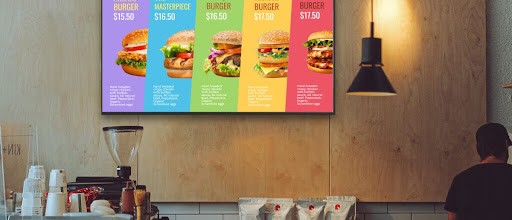
The display screen is the most visible part of any digital signage setup. It shows menus, promotions, announcements, and real-time information to viewers.
Common display options:
Commercial-grade displays: Built for long operating hours, higher brightness, and durability in business environments.
Consumer-grade TVs: Cost-effective for smaller operations with moderate daily use; may have shorter lifespans under heavy continuous use.
When choosing screens, consider size, resolution, and placement based on viewing distance and environment. Indoor screens prioritize clarity and brightness, while outdoor screens require weather protection and higher luminance.
2. Media Player
The media player delivers content to the screen. It downloads scheduled content, caches it locally, and plays it at the right time without manual intervention.
Common media player types:
Android media boxes
Media sticks
Small form-factor PCs
Built-in players inside some displays
A dependable media player runs continuously, restarts cleanly after power interruptions, and plays content smoothly.
👉See our list of compatible devices
3. Digital Signage Software (CMS)
The content management system (CMS) controls what appears on each screen. It is typically cloud-based and accessed through a web browser.
The CMS lets users:
Upload and organize images and videos
Create playlists and layouts
Schedule content by time or date
Assign content to specific screens or locations
From one dashboard, users can manage updates across all connected screens. Once content is published, media players sync automatically and follow the defined schedule without on-site visits.
4. Internet Connection
An internet connection lets the CMS send updates, schedules, and configuration changes to media players. Modern digital signage systems cache content locally, so screens can continue playing previously downloaded content if the connection drops temporarily. The connection is mainly required for updates, scheduling changes, and real-time data feeds.
How Beam Supports Digital Signage Equipment
Beam works with common commercial displays and widely available media players, connecting screens, players, and content through a single cloud-based CMS. Users manage equipment across locations from one dashboard, publish content quickly, and keep screens synchronized without complex setup. Beam supports scheduled playback, remote updates, and stable performance as screen networks grow.
👉 Get started with Beam digital signage and manage your screens with clarity and control.
What equipment is required for basic digital signage?
Basic digital signage requires a display screen, a media player, digital signage software (CMS), and an internet connection.
Can I use a regular TV for digital signage?
Yes. Many businesses successfully use consumer TVs, especially where screens run for limited hours each day.
Does digital signage work without the internet?
Screens continue playing cached content if the internet disconnects. An internet connection is required to push updates and schedule changes.
Can one CMS manage multiple screens?
Yes. Cloud-based CMS platforms like Beam allow centralized control of multiple screens across different locations.