What Is Digital Signage and How Does It Work?
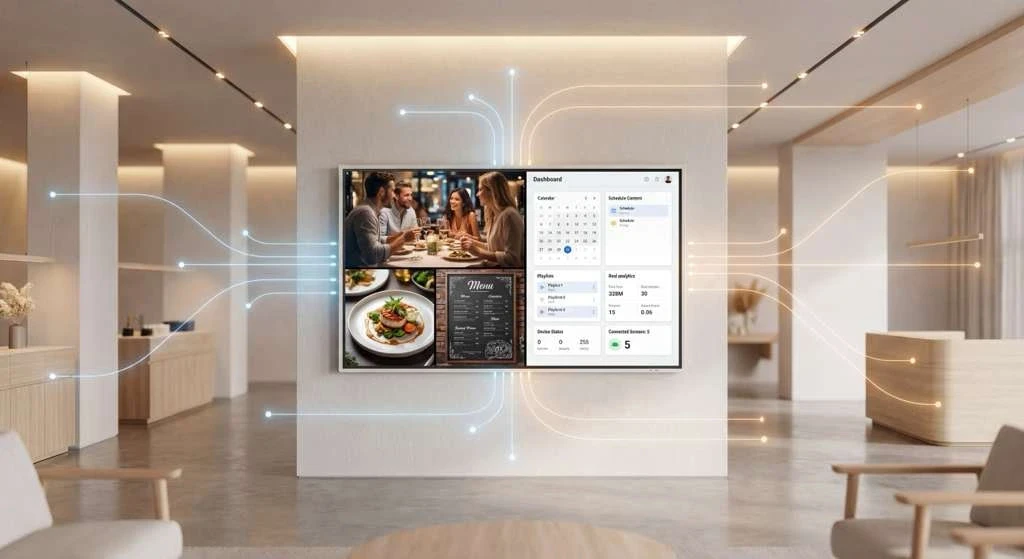
Have you ever noticed those sleek screens in coffee shops that update menu prices throughout the day, or those helpful mall directories that actually guide you where you need to go? That’s digital signage — modern screens that replace static posters with dynamic, centrally managed content.
At its core, digital signage is centrally managed software that controls what appears on physical screens in real-world locations. The real advantage? You can update everything instantly, schedule content to appear at specific times, and keep your messaging consistent whether you're managing two screens or two hundred.
You'll find digital signage working quietly in the background at retail stores, restaurants, corporate offices, hotels, hospitals, gyms, and transit hubs.
What Is Digital Signage?
Think of digital signage as a network of screens that you control through software. That software decides what shows up, when it shows up, and which screens display it.
Instead of printing new posters every time something changes, you update content remotely and let it play automatically on your connected screens. Common content includes:
Promotional visuals and advertisements
Menus and pricing boards
Wayfinding and directional information
Event announcements and alerts
Brand storytelling and informational content
How Does Digital Signage Work?
Digital signage operates through four components working as a system. Here's how they fit together:
1. Display Screens
These are commercial-grade LED or LCD screens installed where people can see them. Commercial displays are designed to run for long hours with consistent brightness and durability.
That said, many small and medium-sized businesses successfully use consumer-grade TVs, especially in environments with moderate operating hours. While they may not be built for 24/7 use, they are often a practical and cost-effective option for most everyday signage needs.
2. Media Player
Each screen connects to a media player that receives content from the software platform and displays it on the screen. The player’s role is straightforward: pull the right content at the right time and play it reliably.
Some displays include built-in media players, while others use external devices such as Android boxes, media sticks, or small PCs. For most small and medium-sized businesses, external players are common because they’re affordable, easy to replace, and flexible across different screen types.
A good media player should run continuously, recover gracefully from restarts or network interruptions, and play content smoothly without manual intervention.
3. Content Management System (CMS)
The CMS is the control center of a digital signage setup. It’s cloud-based software where you upload content, create playlists, set schedules, and decide what shows up on each screen.
From a single dashboard, users can:
Schedule content by time of day or day of week
Assign different content to different locations or screens
Update visuals instantly without physically visiting each location
Once content is published in the CMS, connected media players automatically sync and display it according to schedule. Any changes made in the CMS propagate across screens without requiring manual updates on-site.
4. Internet Connection
An internet connection allows screens to sync content, schedules, and updates from the CMS. It’s also what enables real-time elements such as pricing changes, announcements, or live data feeds.
Importantly, modern digital signage does not rely on a constant connection to function continuously. Modern systems download and cache content locally on each media player. If the internet connection drops temporarily, screens continue playing previously synced content without interruption. This ensures reliability even in environments with occasional connectivity issues.
Why Businesses Choose Digital Signage
Beyond the obvious convenience of ditching print costs, digital signage offers flexibility that static signs simply can't match. Businesses can A/B test promotions, display time-sensitive offers, show different content at lunch time versus dinner time, midweek versus weekends, and respond to real-time situations (weather alerts, inventory changes, breaking news) without needing manual intervention at any single screen.
Digital Signage is also more engaging than its alternatives. Motion content naturally draws more attention than printed materials, and the ability to tailor messages to specific locations or audiences improves recall in the minds of viewers, something impossible to do with one-size-fits-all printed materials.
How Beam Digital Signage Works
Now that we’ve covered how digital signage works in general, here’s how Beam is supercharging traditional digital signage.
For the first time, screen owners can monetize unused screen time without managing advertisers, contracts, inventory, or payments — the network handles that complexity centrally.
Beam’s digital signage CMS combines location-based screen management, content scheduling, and content creation tools with network-based advertising. In addition to managing their own screens and content, businesses can choose to participate in Beam’s ad network, which connects them with third-party advertisers. For the first time, screen owners can monetize unused screen time without managing advertisers, contracts, inventory, or payments — the network handles that complexity centrally.
Beam is built for flexibility and operational simplicity. Teams manage screens across locations from one dashboard, publish updates quickly, and maintain consistent visuals whether they’re running a few displays or a global network of screens. Because the platform is cloud-based, content can be updated from anywhere on any device, and flexible scheduling allows different content to appear at different times without manual intervention.
The underlying infrastructure is designed for commercial reliability. Screens stay online, content stays current, and the system scales smoothly as more screens are deployed.
What is digital signage used for?
Digital signage displays promotions, information, and real-time updates in business and public spaces. Common uses include advertising, menu boards, announcements, wayfinding, brand messaging, and live information like pricing, weather, or event schedules.
Does digital signage require the internet?
You'll need the internet to push updates and sync content initially. The good news? Most systems cache content locally on each screen, so if your connection drops temporarily, your displays keep running with what they've already downloaded. You won't suddenly have blank screens during a WiFi outage.
Can digital signage be updated remotely?
Absolutely. Cloud-based digital signage systems let you update content from anywhere using a web dashboard — no need to physically access screens or visit each location. Update once, and changes appear everywhere automatically.
What content formats can digital signage display?
Digital signage handles images, videos, animations, text, menus, schedules, announcements, and live data feeds. Basically, if it can appear on a screen, your digital signage system can probably display it — from simple text announcements to full video productions to real-time information pulled from external sources.